Key takeaways
- Monitor: A larger or ultrawide display adds immersion but raises the GPU demand.
- Controllers: Yokes, joysticks, throttles, and rudder pedals are separate purchases and work through USB. Check that the PC has enough USB ports.
- VR: Headsets require a strong GPU and CPU, and many pilots lower settings to keep frame rates smooth.
- Cooling: Long flights run the CPU and GPU for hours, so airflow matters.
- Power supply: Use the GPU maker’s recommended wattage as guidance and choose a reputable power supply.
For Microsoft Flight Simulator, the best gaming PC is one with a strong processor first and a capable graphics card second: a mid-range build with a recent six- to eight-core CPU, a mid-range GPU, 32 GB of RAM, and a fast SSD suits most 1080p and 1440p flyers, while a high-end build with a premium GPU suits 4K displays and VR headsets. The simulator is unusual because it can be CPU-limited, especially over dense cities and with heavy add-on aircraft, so spending only on the graphics card is a common mistake.
Our top picks


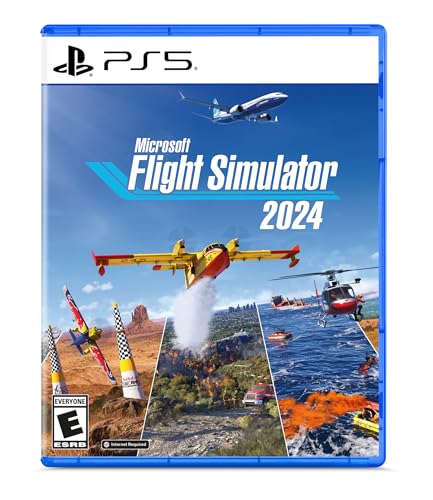
![Microsoft Flight Simulator 2024 Premium Deluxe Edition (Pre-Purchase/Launch Day) – Play on Xbox Series X|S and Windows PC [Digital Code]](https://m.media-amazon.com/images/I/51p9VlYT7TL._SL500_.jpg)
As an Amazon Associate we earn from qualifying purchases at no extra cost to you.
What the simulator asks for
Microsoft and Asobo publish minimum, recommended, and ideal specifications for Microsoft Flight Simulator 2024. The studio’s lists have named current-generation processors and graphics cards in the recommended and ideal tiers, along with 16 GB or more of RAM and an SSD with substantial free space. Because the specs are updated over time, read the latest requirements on the official page before buying. The studio also states that the simulator streams scenery from the internet, so a stable connection matters as much as hardware.
Reviewers and community benchmarks generally report that the game scales to whatever you give it. A high-end card can push higher resolution and render distance, while a fast CPU keeps frame times steady in busy areas. VR is the most demanding use case, with headsets often driving frame rates and resolutions above what a monitor needs.
Component priorities
| Component | Why it matters for flight sim | Target |
|---|---|---|
| CPU | Handles simulation, traffic, and scenery; often the bottleneck | Recent six- to eight-core chip with strong single-core speed; AMD X3D chips are frequently praised by reviewers for sim workloads |
| GPU | Drives resolution and visual settings | Mid-range for 1080p or 1440p; high-end for 4K or VR |
| RAM | Large scenery and add-ons use memory | 32 GB recommended by many reviewers; 16 GB is a floor |
| Storage | Large install and streaming data | NVMe SSD with ample free space |
| Network | Streams scenery and weather | Reliable broadband; wired connection preferred |
| Cooling and PSU | Long sessions load the system | Quality cooler and a power supply sized to the GPU maker’s guidance |
Budget tiers and example systems
Prebuilt gaming PCs from Alienware, HP Omen, Lenovo Legion, Corsair, NZXT, and CyberPowerPC are widely available, and the same component logic applies to each. Specific model lineups change often, so focus on the parts inside rather than the brand name.
| Tier | Typical parts | Best for | Limits |
|---|---|---|---|
| Budget | Six-core CPU, entry-to-mid GPU, 16 to 32 GB RAM, 1 TB NVMe | 1080p with medium settings | Dense cities and add-on aircraft can strain it |
| Mid-range | Six- to eight-core CPU, mid-range GPU, 32 GB RAM, 1 to 2 TB NVMe | 1440p at high settings | VR and 4K may need compromises |
| Premium | Top-tier CPU (often an X3D model), high-end GPU, 32 to 64 GB RAM, 2 TB NVMe | 4K, ultrawide, and VR | High cost, power draw, and heat |
CPU choice in more detail
Flight simulators are known for loading a single main thread heavily, which is why reviewers often point to chips with large caches, such as AMD’s X3D series, or Intel’s fastest recent desktop processors. Core count helps, but clock speed and cache can matter more. If you plan to run add-ons such as flight planners, weather tools, or streaming software alongside the sim, additional cores help.
GPU choice in more detail
The graphics card determines how high you can push resolution and settings. For a 1080p monitor, a mid-range current-generation card from NVIDIA or AMD is usually enough, according to benchmark outlets. For 1440p, step up to a stronger mid-range or upper-mid card. For 4K or VR, a high-end card with plenty of video memory is recommended by the maker’s ideal tier and by reviewers. NVIDIA’s upscaling and frame generation options and AMD’s equivalent features are supported in the sim, according to the developer, and they can raise frame rates at some cost in image detail.
Memory and storage
The simulator can use large amounts of RAM when you add detailed scenery, so 32 GB is a safe target for most pilots. Dual-channel memory configurations help performance on most platforms. For storage, install the game on an NVMe SSD and leave generous free space for the cache and add-ons, because the installation is large and keeps growing with updates.
Peripherals and setup notes
- Monitor: A larger or ultrawide display adds immersion but raises the GPU demand.
- Controllers: Yokes, joysticks, throttles, and rudder pedals are separate purchases and work through USB. Check that the PC has enough USB ports.
- VR: Headsets require a strong GPU and CPU, and many pilots lower settings to keep frame rates smooth.
- Cooling: Long flights run the CPU and GPU for hours, so airflow matters.
- Power supply: Use the GPU maker’s recommended wattage as guidance and choose a reputable power supply.
Laptop and compact options
Gaming laptops can run the sim, but cooling limits make sustained loads harder than on a desktop. If you travel often, a laptop with a strong GPU and good cooling can work, but expect lower performance than a desktop with similar-sounding parts. Compact desktops are an option if you want a small footprint, though they often have less cooling headroom.
Pick X if…
| If you… | Pick | Why |
|---|---|---|
| Fly casually at 1080p | Budget build with a good CPU | Enough for steady play |
| Want 1440p at high settings | Mid-range build with 32 GB RAM | Balanced cost and performance |
| Fly in VR or at 4K | Premium build | Highest GPU and CPU headroom |
| Use many add-ons | Strong CPU and more RAM | Reduces stutter and loading issues |
| Travel often | Gaming laptop with good cooling | Portable, with performance trade-offs |
Alternatives
- Building your own: Gives control over parts, though it takes time and research.
- Xbox Series X|S: Microsoft lists console versions of the simulator, which can be an option if you do not want a PC. Performance and features differ from the PC version.
- Cloud gaming: Possible in some regions, subject to connection quality and subscription availability.
Settings that make hardware go further
Even a mid-range PC can deliver a smooth experience if settings are tuned sensibly. Reviewers and the developer’s own guidance commonly point to a few levers. Terrain level of detail and object level of detail have a large effect on both CPU and GPU load, and lowering them slightly often gains more frame rate than lowering texture quality. Using the simulator’s upscaling options, such as DLSS, FSR, or similar, can raise frame rates at some cost in sharpness. Capping the frame rate to a value your monitor and system can hold steadily gives a smoother feel than chasing peaks.
Traffic and live weather settings also add load. Reducing air traffic density or ground vehicle density can help in busy regions. Add-on aircraft with detailed systems can be heavier than the default aircraft, so expect some difference between planes.
Buying advice and pitfalls
- Do not ignore the CPU: Many prebuilt gaming PCs pair a strong GPU with a modest processor, which can cap performance in this simulator.
- Check upgrade room: Look for a standard motherboard, open memory slots, a spare storage slot, and a power supply with spare capacity.
- Look at cooling: Long flights are sustained loads. A compact case with weak airflow can throttle.
- Warranty and support: Prebuilt systems differ in what is covered and for how long, so read the terms.
- Plan peripherals: Yokes, pedals, and headsets add up, so leave room in the plan for them.
Specifications and product lines change quickly, so compare the parts listed in a specific model against the developer’s current published requirements instead of relying on a brand name alone.
Display and sound choices
A larger display increases immersion, but it also raises the resolution the graphics card must drive. Many pilots choose a single ultrawide monitor or three matched screens only after the PC proves it can hold steady frame rates at that size. A good headset or head-tracking device adds situational awareness in the cockpit view without much extra load on the system.
Frequently Asked Questions
Is the CPU or GPU more important for Flight Simulator?
Both matter, but the simulator is often CPU-limited, particularly over cities and with complex aircraft. A balanced build is better than a top GPU paired with a weak processor.
How much RAM do I need?
The developer lists 16 GB as a baseline for the recommended tier, and many reviewers suggest 32 GB if you use add-ons or leave other programs open.
Do I need a fast internet connection?
The simulator streams scenery and weather, so a stable connection helps. It can run offline with reduced content, according to the developer.
Can a laptop run Microsoft Flight Simulator?
Yes, a gaming laptop with a capable GPU can run it, though cooling and power limits may reduce performance compared with desktops.
Is VR playable?
Yes, but it is demanding. You will likely need a high-end GPU and a strong CPU, and you may lower settings to maintain smooth frame rates.
Should I buy a prebuilt PC or build one?
Prebuilt systems are convenient and often come with a warranty. Building lets you choose the CPU, cooling, and storage, which can be useful for a sim-focused machine.