Key takeaways
- Frame width: A wide desk with narrow support spacing can feel less stable at the edges. Match the desktop width to the frame’s recommended range.
- Desktop thickness: A rigid top reduces flex. Very thin laminated board can transmit more vibration even when the frame itself is strong.
- Maximum working height: A desk is usually steadier while seated than when raised high. Monitor arms also amplify movement because they extend weight away from the frame.
- Floor and leveling: Uneven flooring can create rocking that looks like a frame problem. Adjust the feet before judging stability.
The best FlexiSpot standing desk for most home offices is the FlexiSpot E7: its dual-motor frame offers the strongest combination of stability, height range, and lifting capacity, while the E5 is the better value for a typical single-monitor setup and the E2 suits smaller, lighter workstations.
Our top picks

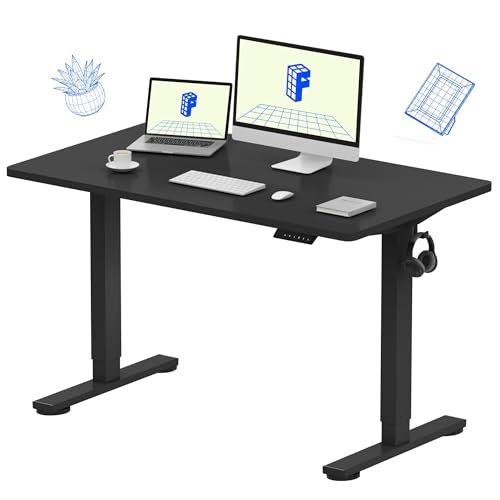
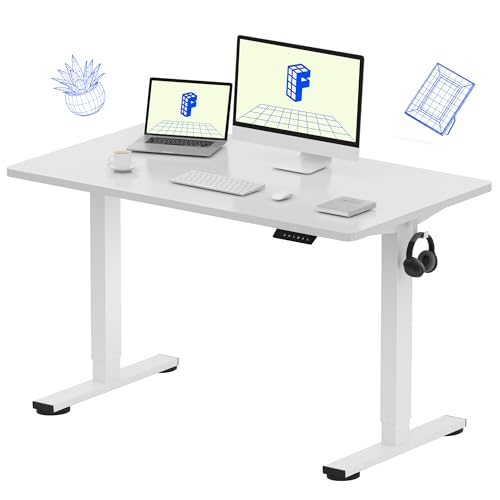

As an Amazon Associate we earn from qualifying purchases at no extra cost to you. Ratings are shown as listed on Amazon.
Best FlexiSpot standing desks at a glance
| Model | Best for | Typical desktop sizes | Height range | Advertised lifting capacity | Estimated assembly time |
|---|---|---|---|---|---|
| FlexiSpot E7 | Large desks, heavy equipment, frequent adjustment | 48–80 inches wide; about 24–30 inches deep | Approximately 23.8–49.4 inches, depending on configuration | Up to about 355 lb | 45–75 minutes |
| FlexiSpot E5 | Best overall value for most users | 48–72 inches wide; about 24–30 inches deep | Approximately 28.3–47.6 inches | Up to about 220 lb | 35–60 minutes |
| FlexiSpot E2 | Small rooms and lighter workstations | About 40–60 inches wide; roughly 24–30 inches deep | Approximately 28–48 inches | Up to about 187 lb | 30–50 minutes |
Specifications can vary with the frame revision, control panel, desktop, and regional listing. Treat the figures above as practical comparison points rather than a substitute for checking the exact configuration you plan to buy.
Which FlexiSpot frame should you choose?
Choose the E7 for the most stable large desk
The E7 is the strongest choice when the desk must carry a substantial desktop, two or three monitors, a desktop computer, speakers, lighting, and accessories without operating close to its limit. Its dual-motor design and wider adjustment range give it a clear advantage over entry-level frames.
That does not mean the E7 will be perfectly motionless at its maximum height. All standing desks become more susceptible to side-to-side movement as the legs extend. Stability also depends on the desktop: a thick, rigid top and properly tightened frame will feel steadier than a thin or flexible board. For a 72- to 80-inch workstation, the E7 is the safer pick, particularly if you frequently alternate between sitting and standing.
Choose the E5 for the best balance of price and performance
The E5 is the sensible middle option for a home office with one or two monitors, a laptop, and ordinary accessories. Its approximately 220-pound capacity leaves substantial headroom for most workstations, and its dual-motor frame is more appropriate for regular height changes than a basic single-motor desk.
Its main limitation is height range. The E5 starts higher than the E7, which can matter for shorter users or anyone who wants a particularly low seated position. Measure your preferred sitting height before buying rather than assuming every electric desk reaches the same minimum.
Choose the E2 when floor space and budget matter most
The E2 is aimed at lighter setups and smaller rooms. It can work well with a 40- to 55-inch desktop, one monitor, or a laptop-centered workstation. The lower capacity is still ample in absolute terms, but accessories add up quickly: a desktop tower, monitor arms, speakers, drawers, and a heavy solid-wood top may push the frame closer to its limit than expected.
For occasional standing, the E2 can be a practical purchase. For all-day professional use with a large display array, the E5 or E7 provides more useful reserve capacity and generally makes the better long-term decision.
Head-to-head comparison by buying situation
| Your situation | Recommended model | Why | What to compromise on |
|---|---|---|---|
| Budget-conscious, one monitor, occasional standing | E2 | Lower-cost frame with enough capacity for a light setup | Less reserve capacity and less flexibility for future upgrades |
| Regular daily use, laptop plus one or two monitors | E5 | Good balance of dual-motor performance, capacity, and price | Higher minimum height than the E7 |
| Large 72- to 80-inch workspace | E7 | Better suited to a wide, heavy desktop and multiple devices | Higher purchase cost and a longer installation |
| Shorter user needing the lowest seated position | E7, after checking the exact revision | Its lower minimum can provide more sizing flexibility | Published dimensions vary by frame and foot configuration |
| Frequent movement between sitting and standing | E5 or E7 | Dual motors and a broader performance margin suit repeated adjustment | Higher cost than an entry-level frame |
Frame stability: what actually makes the difference?
Capacity alone does not determine whether a desk feels solid. Look at four interacting factors:
- Frame width: A wide desk with narrow support spacing can feel less stable at the edges. Match the desktop width to the frame’s recommended range.
- Desktop thickness: A rigid top reduces flex. Very thin laminated board can transmit more vibration even when the frame itself is strong.
- Maximum working height: A desk is usually steadier while seated than when raised high. Monitor arms also amplify movement because they extend weight away from the frame.
- Floor and leveling: Uneven flooring can create rocking that looks like a frame problem. Adjust the feet before judging stability.
For a single monitor, the E2 and E5 should be adequate when correctly assembled. For a large top with several monitor arms, the E7’s higher capacity and stronger frame design offer more margin, although no electric standing desk eliminates movement completely at maximum extension.
Desktop sizing and weight: a worked example
Suppose your equipment weighs 75 pounds: a 25-pound desktop computer, two 12-pound monitors, 10 pounds of monitor arms, and 16 pounds of miscellaneous equipment. If the desktop itself weighs 55 pounds, the total moving load is:
75 lb of equipment + 55 lb desktop = 130 lb.
That is below the published capacity of all three frames in the comparison. However, capacity is not a recommendation to operate at the limit. Adding a heavy drawer unit, speakers, a printer, or a thicker hardwood top could take the load toward 170–200 pounds. The E2 would then have less useful headroom, while the E5 would remain a more comfortable fit and the E7 would leave the greatest room for future additions.
Remember that the desktop must also be physically supported. A top that is too shallow may leave monitor arms and keyboard space cramped; a top that is too wide or deep can increase leverage and perceived wobble.
Assembly time and setup realities
Expect roughly 30 to 75 minutes for assembly, depending on the model, desktop, tools, and whether you are working alone. The frame is usually easier to assemble with two people because the completed desk becomes awkward to turn over.
- Confirm the desktop dimensions and screw locations. Do not assume pre-drilled holes match the frame. Mark the centerline and check that screws will not break through the top.
- Keep motor cables free of pinch points. Route cables before tightening the frame completely, leaving enough slack for the full travel range.
- Tighten both sides evenly. Uneven frame tension can produce rocking or unusual motor noise.
- Level the feet before loading equipment. Test the desk empty, then add the desktop and accessories gradually.
- Run the reset procedure described in the manual. This calibrates the control system after assembly and can resolve apparent height-memory problems.
- Set collision sensitivity conservatively. A desk placed beside a wall or cabinet needs clearance across its entire vertical path.
Ownership, maintenance, and common mistakes
The parts most likely to cause inconvenience are not usually the desktop or metal legs. Cable strain, loose fasteners, control-box connections, handset buttons, and overloaded monitor arms are more common sources of trouble. Recheck frame fasteners after several weeks if you notice new movement, but avoid repeatedly overtightening screws into a particleboard top.
- Keep the lifting columns and control box dry; clean surfaces with a lightly damp cloth rather than spraying liquid directly.
- Do not hang heavy bags from the desktop edge unless the frame and top are designed for that load.
- Leave clearance behind the desk for cables and below it for chair arms, drawers, and storage.
- Use a cable tray or slack loop so wires do not become taut at the highest setting.
- Expect a thick, heavy desktop to increase assembly effort and reduce the practical capacity available for equipment.
Price varies by frame revision, desktop material, and promotions, but the usual market pattern is clear: the E2 occupies the lower-cost tier, the E5 the mid-range tier, and the E7 the premium tier. The cheapest frame is not necessarily the cheapest ownership choice if you later replace it to support a larger top or more monitors.
Final recommendation
Buy the FlexiSpot E5 if you want the best all-round match for a normal home office. Choose the E7 when stability margin, a low minimum height, a large desktop, or heavy equipment matters more than price. Choose the E2 for a compact, lighter workstation where occasional standing is the goal. Whichever model you select, prioritize correct height fit, a rigid desktop, even leveling, and enough cable slack; those details often affect everyday satisfaction as much as the frame’s headline capacity.